Today, port scanning has become an integral part of our lives since it plays a significant role in whether we want to browse the Internet or perform business activities via the Internet. Should you have a website or develop applications, play games, or be an IT professional, then it would be advantageous for you to know about ports and how they work.
Port Checker is a straightforward tool that allows people to find out if the port being used is open or not. By using this tool, people can troubleshoot any issues related to connectivity, set up their firewalls, and make sure that all other services are running fine, such as web servers, mail servers, or game servers. This article aims to help people understand what a port scanner is, how it works, why it is important, and how to use it.
What is a port tester?
A Port Testing Tool can be defined as a site or software tool that is dedicated to testing whether a specific port is open, closed, or blocked. It is a very vital aspect of testing whether a specific port exists on the Internet or not. The use of a port status checker enables one to test whether their firewall or any other security features may block a specific port or not. Also, this makes it easier for one to test if their server and applications are correctly configured to function properly.
In addition to the basic tests, a port analyzer will be very helpful in ensuring that the security level of the network is raised since it will look into any unnecessary openings through which threats can come in. The port inspection tool will be very useful when looking for solutions to certain issues like network disconnections and slower speeds in the network. In layman’s terms, the ports are only entrances or exits for information on your computer, and the port tester will show their statuses.
Understanding Ports in Networking
Before delving deeper into the concept of a port checker, it would be necessary to briefly define ports and their importance in networking. To begin with, it should be noted that ports are essentially virtual locations in computers and servers where the flow of different internet traffic is managed and directed. Each port has its own port number, and specific services make use of specific port numbers.
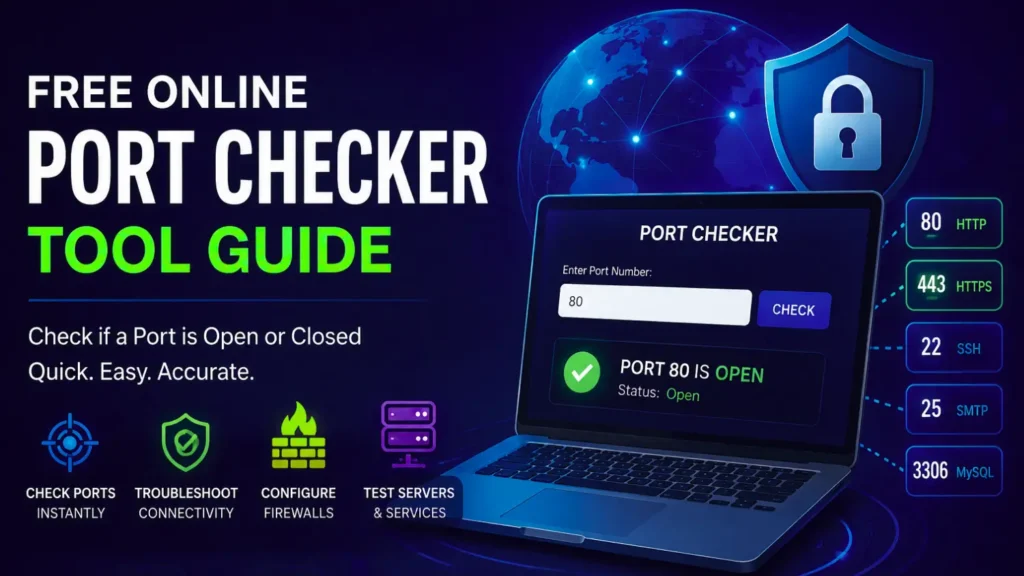
Some of those would be port 80, which uses HTTP or ordinary web traffic; port 443, which uses HTTPS or secure web traffic; port 21, which utilizes FTP, or file transfer protocol; port 25, which uses SMTP, or sending emails; and lastly, port 22, which uses SSH, or secure shell remote access protocol. Thus, ports serve to track down all internet traffic and route it to the appropriate applications, and it is here that the port availability checker proves useful.
How Does a Port Scanning Tool Work?
The port checking technique operates on the basis of connecting the application to a definite port of an IP address or domain and analyzing the result of this operation. It begins with providing information about the IP address or the domain name and the number of the port that will be checked. Afterward, the application tries to connect to the specified port and analyze its reaction.
This way, the port inspection tool determines whether the port is open, closed, or filtered. In case the port is open, it means that there is some service working and accepting connections from this port. Hence, in this case, everything is all right with the connection. On the contrary, in case the port is closed, it means that there is no service working at this port; therefore, it does not accept connections.
Conclusion
A port detector is an important resource for everyone who works with networks, servers, and online services. The port checker provides a simple solution that allows you to check whether your ports are open or closed. In case you plan to create a website, resolve some server issues, or just explore the network, you have to use a port access tool.
By comprehending the basics of operation and checking your ports, you will be able to keep your system secure and operational. Make use of the port verification tool immediately and enjoy the benefits of your network.
FAQ’s
Q1. Is using a port checker tool safe?
Yes, using a network access checker is always safe if done from your computer and network. It simply verifies the port’s condition without harming your device. However, it should be noted that one should never scan unauthorized devices or networks.
Q2. Does it mean something when a port is closed?
Yes, this indicates that there is no application listening to this port. Also, this port may have been purposely closed or configured wrongly.
Q3. Do I have access to any computer’s port scanner?
Yes, you can verify any device’s ports as long as it is connected to the internet. However, remember that you shouldn’t access the ports of computers that you do not own.