The Open Port Checker is a useful tool available for the general public that can be used by anyone to check if a specific port of a server, router, or any device is accessible from the Internet or not. Generally, ports are used as communication paths for various Internet services, including websites, email services, gaming services, and remote access services. Checking the status of the ports is a critical part of Internet troubleshooting and security monitoring. The Open Port Check tool is a useful tool that can be used by anyone for this purpose.
About Open Port Check Tool
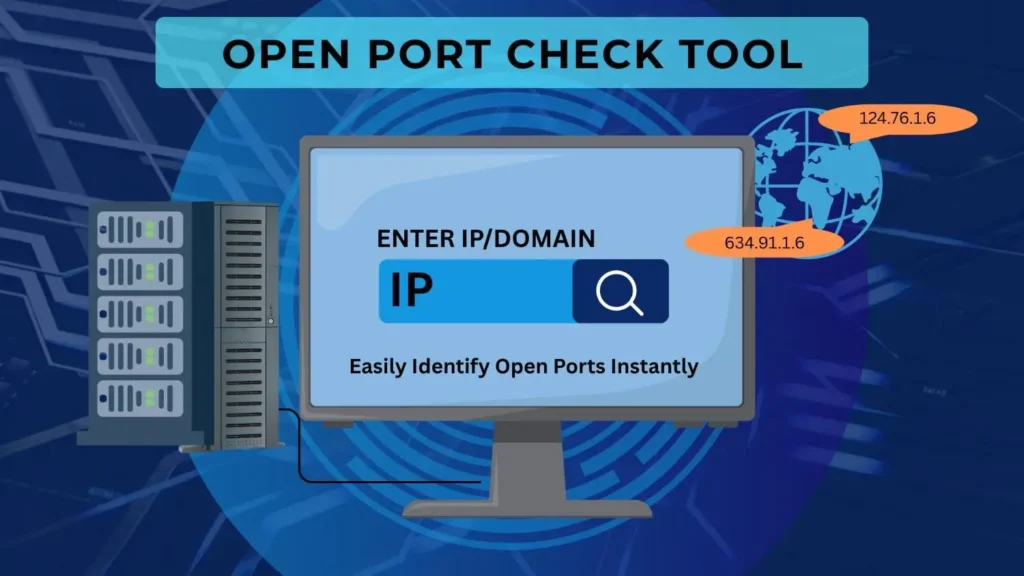
The Open Port Check Tool is an online tool that can be used by the user to check the status of the specific port of the IP address/domain given by the user. The tool makes a connection with the given port and shows the result accordingly. The result can be open, closed, or filtered. These tools are used by system administrators, programmers, gamers, and network technicians for server accessibility and for the correct configuration of the network.
Working Process of an Open Port Check Tool
An open port checker is a tool that sends a connection request to a specific port of an IP address or domain, and then it analyzes the server’s response to determine the status of the port. If the port is open, it means it is active, and there is a service running on it, allowing connections to be made. If it is closed, it means it is accessible, but there is no service running to accept connections. There is also a possibility of getting a filtered port in the results, meaning that there is a firewall filtering the connection request. This is a simple way of testing, allowing users to easily understand problems in their network configuration.
Importance of an Open Port Check Tool
The use of the open port checking tool has many advantages for all users. The tool can be used for the diagnosis of the connectivity problem and the verification of the server configuration. By using the open port checking tool, users can easily identify the problem in the network or the connections and can verify the accessibility of the server, for example, the web server or the game server. The tool can be used for the detection of the ports that are blocked or filtered by the firewall settings or the security settings. The open port checking tool can be used directly from the web browser.
Key Purposes of the Open Port Check Tool
Open Port Check Tool is one of the most commonly used tools in different network and IT-related situations. The tool is generally used to configure servers and troubleshoot connection issues. The uses of this tool are as follows:
Server Configuration
This tool is used by administrators to configure a web server, an FTP server, or even an email server to make sure that the required ports are open and available.
Gaming Servers
In order to allow different players to connect to the gaming server, some specific ports have to be open. The ports are checked to make sure that the connections are available.
Remote Access Setup
Tools such as Remote Desktop and SSH require ports to be open. The tool is used to make sure that the connections are available.
Firewall Troubleshooting
In case the service is not available, this tool is used to make sure that the firewall is not blocking the connection.
Important Security Tips for Port Checking
Open ports are necessary for the smooth functioning of various online facilities. However, it is a security risk to allow unused ports to be open. Hackers usually scan the network to identify any vulnerable open ports that could compromise the security of the network. To ensure the security of the network is high, it is necessary to follow various security measures when dealing with network ports.
To avoid the network being a target for any hacker to gain access to the network, it is necessary to close unused ports. It is also necessary to scan the network ports to ensure that everything is functioning properly. It is necessary to update the server software to avoid any security vulnerabilities.
Guidelines to Use an Open Port Check Tool
The usage of the tool for detecting the open port is very easy and involves a few basic steps. First of all, the user has to enter the details of the server that has to be checked. After that, the user has to enter the port number that has to be checked. After entering the details, the user has to click on the button that initiates the process. After that, the tool will analyze the request and will show the results within a few seconds, specifying the status of the port.
Conclusion
Open Port Check is an important tool in managing servers, networks, or even Internet-connected devices. This tool is useful in helping Internet users easily find out whether a port is open, closed, or even blocked. By doing so, Internet users can easily maintain a better, stable, and even secure Internet connection. The Open Port Check tool is useful for Internet users, developers, or even system administrators, as it is a simple yet effective tool in maintaining a stable Internet connection.
FAQ’s
Q. What is an open port?
An open port is a service or application that is listening on that port.
Q. Is it safe to have an open port?
Open ports are necessary. However, only the necessary ports should be kept open. Other ports should be closed.
Q. Can firewalls block port checks?
Yes, it is possible that firewalls can block port checks.
Q. Do I need software to check the open ports?
No, you do not need software to check the open ports. Many software applications are available online that can be used directly from the web browser.